
Download Vimeo Desktop Uploader – Video Upload Tool, Adobe Air, Content Management
Overview
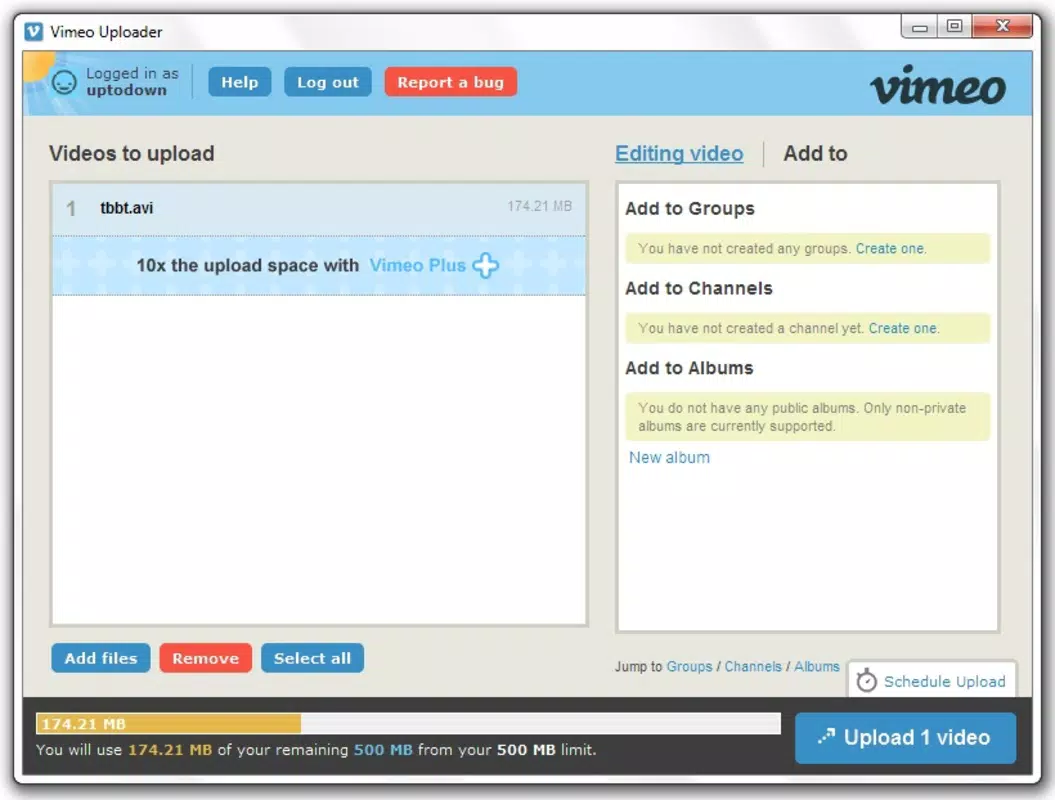
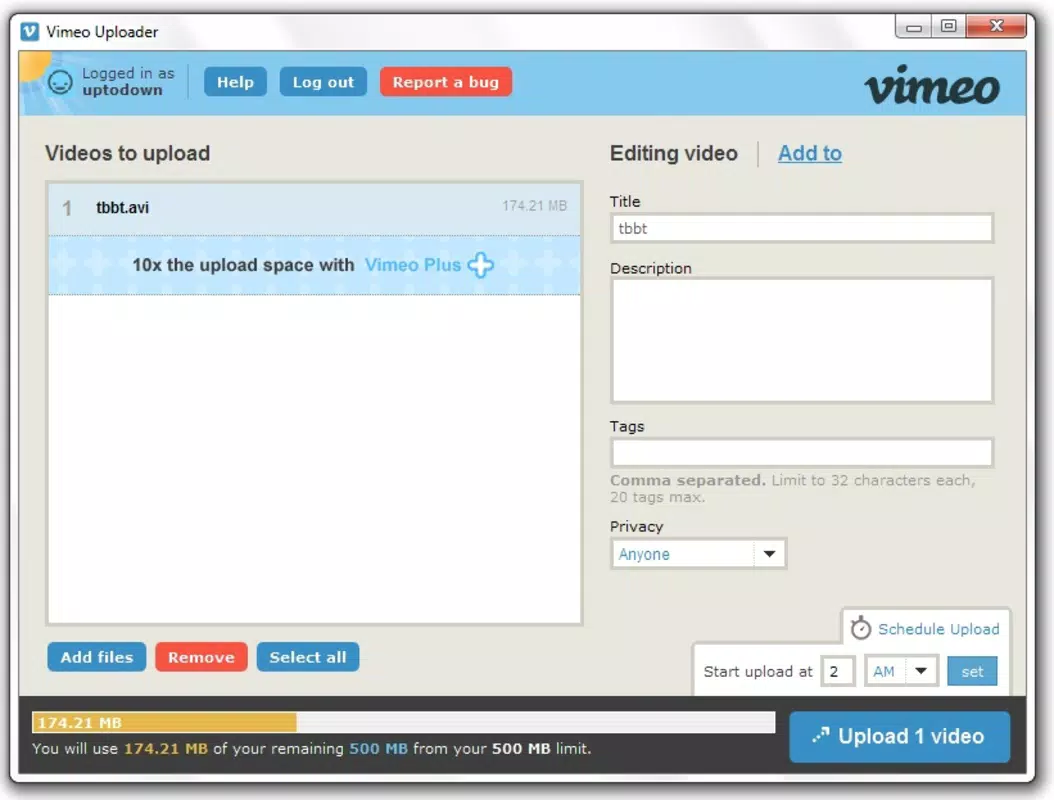
The Vimeo Desktop Uploader is a specialized utility designed to simplify the process of uploading video content to Vimeo. Built using Adobe Air technology, it offers a desktop-based solution for creators who manage multiple video uploads across various projects. The application enables users to batch-upload videos, manage metadata such as titles, descriptions, and tags directly within the interface, and schedule uploads for later execution. This functionality is particularly beneficial for content creators, marketing teams, and video professionals who regularly publish content and require a streamlined workflow.
By centralizing upload management, the tool helps solve common pain points such as manual file handling, inconsistent metadata, and time-consuming upload processes. It allows users to queue multiple videos and set them to upload automatically at a preferred time, reducing the need for constant monitoring. The real-time visibility into account storage capacity further supports strategic content planning by helping users understand their upload limits and avoid unexpected interruptions.
Although the developer did not provide additional technical details about the origin or background of the application, its long-standing presence since 2010 suggests a stable and reliable foundation. The tool remains relevant in the current digital content ecosystem, especially for users who prioritize efficiency and control over their video publishing workflows. It serves as a valuable complement to Vimeo’s web interface, offering a more robust environment for managing large volumes of video content.
Key Features & Functionality
- User-Friendly Interface: The application features a clean, intuitive graphical user interface that allows users to quickly add videos to the upload queue without requiring technical expertise. This design ensures accessibility for both beginners and experienced users.
- Batch Video Uploads: Users can select multiple video files at once and initiate a single upload process, significantly reducing time spent on repetitive tasks and improving workflow efficiency.
- Upload Scheduling: The ability to schedule uploads for specific times enables users to automate their publishing workflows. For example, a creator can queue a video to upload overnight, ensuring it’s ready for release during peak viewing hours.
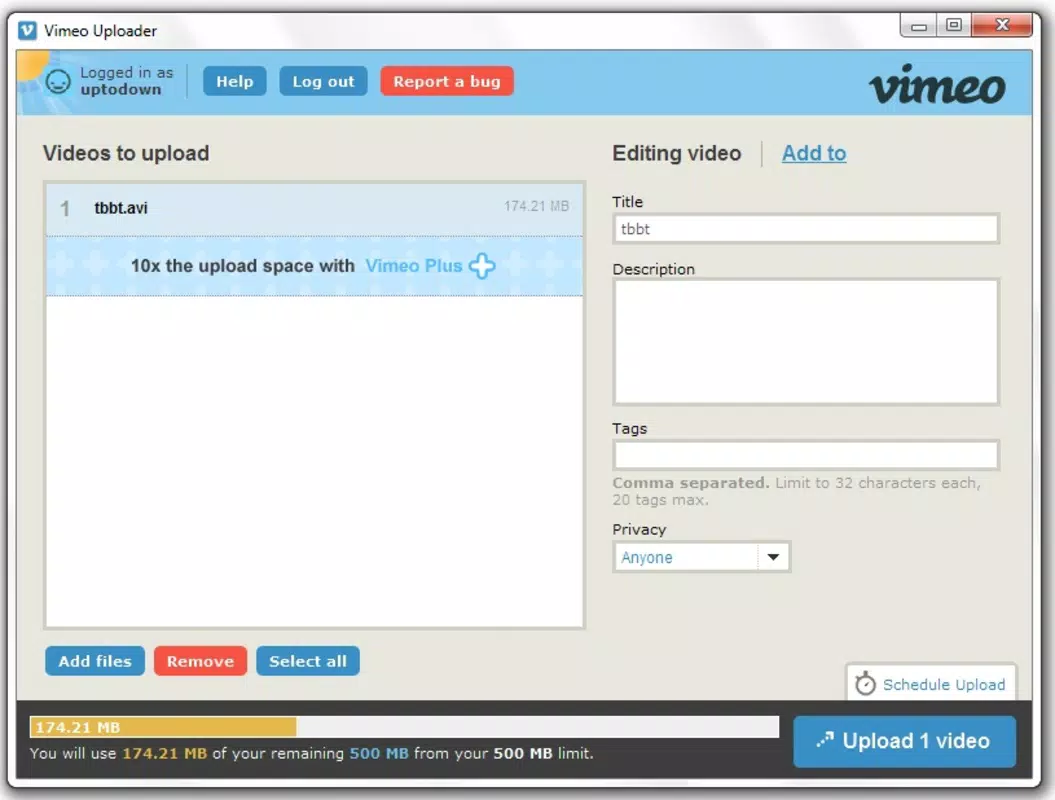
- Metadata Management: Each video can be assigned a title, description, and tags directly within the uploader. This feature supports better content organization and SEO optimization, helping videos reach wider audiences.
- Storage Capacity Monitoring: The tool displays real-time information about remaining storage space in the user’s Vimeo account, allowing for informed decisions about future uploads and content planning.
- Adobe Air Technology Foundation: Built on Adobe Air, the application ensures cross-platform compatibility and consistent performance across different operating systems, contributing to a stable and reliable upload experience.
These features collectively enhance productivity by minimizing manual input and enabling proactive content management. For instance, a marketing team preparing a campaign launch can use the scheduler to ensure all videos are uploaded precisely when needed, while also verifying that storage limits are not exceeded.
Interface, UX & Performance
The interface of the Vimeo Desktop Uploader is designed with simplicity and functionality in mind. It presents a clear layout with drag-and-drop capabilities, allowing users to easily add video files to the upload queue. Navigation is straightforward, with well-labeled sections for managing video metadata and viewing upload progress.
Visual elements are minimal yet effective, focusing on usability rather than aesthetic complexity. The application maintains a consistent layout across different screen sizes, supporting a smooth user experience on various desktop configurations. Users can monitor upload status, view error messages, and manage the queue with minimal effort.
Although the developer did not list formal performance metrics, the use of Adobe Air technology suggests a level of stability and responsiveness across platforms. The application is designed to run efficiently in the background, allowing users to continue working on other tasks while uploads are in progress. Responsiveness during file selection, queue management, and metadata editing appears to be consistent, contributing to a reliable overall experience.
Stability is further supported by the application’s ability to resume interrupted uploads, though specific details on error recovery were not disclosed. Overall, the UX is optimized for efficiency, with minimal friction between user actions and system responses.
Platform Compatibility & Technical Requirements
The Vimeo Desktop Uploader is compatible with desktop operating systems, leveraging Adobe Air as its runtime environment. The application supports multiple platforms, though specific OS versions were not listed by the developer. The file size of the application is not disclosed in the provided information.
Since the tool is built on Adobe Air, it is designed to function across different desktop environments, including Windows and macOS. However, the developer did not specify minimum OS requirements or hardware recommendations. Users are advised to ensure their system meets the general requirements for running Adobe Air applications.
Compatibility information was not fully disclosed, so users should verify their system’s ability to run Adobe Air before attempting installation. The application does not appear to be available as a mobile app, as it is specifically designed for desktop use.
Pros and Cons
Pros
- Intuitive interface suitable for users of all skill levels.
- Supports batch uploading of multiple videos.
- Allows scheduling of uploads for optimal timing.
- Enables direct editing of video metadata like titles, descriptions, and tags.
- Provides real-time storage capacity tracking.
- Uses Adobe Air for cross-platform compatibility and stability.
Cons
- Developer did not specify minimum OS or hardware requirements.
- File size and version details were not provided.
- Not available as a mobile application.
- No public information on update frequency or support lifecycle.
- Relies on Adobe Air, which may require separate installation on some systems.
FAQ
Is Vimeo Desktop Uploader available for mobile devices?
No, the application is designed for desktop use and is not available as a mobile app. It runs on desktop operating systems via Adobe Air.
Do I need Adobe Air to use this app?
Yes, the application is built on Adobe Air technology. You may need to install Adobe Air separately if it is not already present on your system.
Can I schedule video uploads for specific times?
Yes, the uploader allows users to schedule videos to upload at a specific time, enabling automated publishing without constant supervision.
How does the app help with storage management?
The tool displays real-time updates on your Vimeo account’s remaining storage space, helping you plan uploads and avoid exceeding your limit.
Is the app secure to use?
As a desktop application developed by Vimeo, it is designed to securely handle video files and account data. However, users should ensure their system is protected with up-to-date antivirus software.
Final Thoughts
The Vimeo Desktop Uploader stands out as a practical, no-frills tool for content creators who demand efficiency and control in their video publishing workflow. Its ability to batch-upload, schedule, and manage metadata directly within a single interface makes it a valuable asset for anyone managing multiple video projects. The integration of storage monitoring adds a layer of strategic planning, ensuring users can maintain a consistent upload schedule without running into space issues.
While the lack of detailed technical specifications may be a minor drawback, the application’s long-standing presence and reliance on stable Adobe Air technology speak to its reliability. It remains a relevant and functional solution in the digital content landscape, especially for users who prefer desktop-based tools over web-based alternatives.
For video professionals, marketers, and independent creators who frequently publish content to Vimeo, this tool offers a significant time-saving advantage. If you're looking to streamline your upload process and gain better control over your content pipeline, the Vimeo Desktop Uploader is a solid choice.
Download Vimeo Desktop Uploader now


